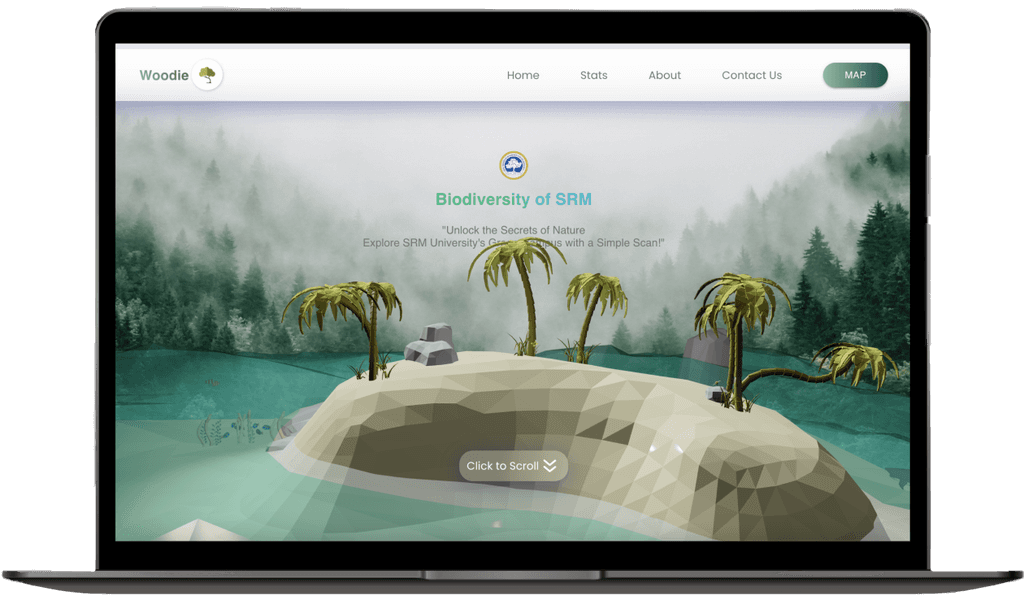
SRM's Woodie

SRM's Woodie

Biodiversity Web application

Visit site

Woodie is a university initiative aimed at digitizing the campus greenery. By using QR codes linked to an informative website, it provides students and campus members with educational insights into the diverse plant life on campus. The project fosters awareness and appreciation of campus greenery, promoting sustainability and environmental education.

Defy offers a comprehensive suite of crypto functionalities, making it a true crypto super app. Users can buy, send, swap, receive, and trade cryptocurrencies within the platform.

This exciting project was accomplished by a small team, with my role focused on designing the entire website and developing the front-end. I ensured the website was user-friendly and informative, making it easy for campus members to access and engage with the content.

TIMELINE

Summer 2023

TEAM

Allan Jerrold

Tabrez Mohammed

Dr. Selvin Peter paul

TOOLS

Figma

React.js

DISCIPLINES

Front-end Dev

User Interface Design

User Research

Who's our audience?

Who's our audience?

Target audiences

1) University Students

Since this is a university project created solely for educational purposes, our target audience is university students who visit the campus daily.

18-23

AGE GROUP

AGE GROUP

98%

CAMPUS VISIT FREQUENCY

CAMPUS VISIT FREQUENCY

92%

EXPECTED USER RETENTION

MOTIVATIONS

MOTIVATIONS

Students want to learn more about the campus greenery and its ecological significance.

2) Campus Visitors

Apart from students, the campus visitors may include parents, faculty, and visitors to the hospital located on campus.

30-65

AGE GROUP

AGE GROUP

60%

CAMPUS VISIT FREQUENCY

CAMPUS VISIT FREQUENCY

92%

EXPECTED USER RETENTION

MOTIVATIONS

MOTIVATIONS

The motive for campus visitors, including parents, faculty, and hospital guests, is to explore and engage with the campus greenery for relaxation, educational enrichment, and a deeper connection to the campus environment.

User research

User research

We utilized user interviews, surveys, and field observations to gather insights into the needs and preferences of our target audience for this project.

We utilized user interviews, surveys, and field observations to gather insights into the needs and preferences of our target audience for this project.

User Interviews

To understand students' awareness and interest in campus greenery, interview was conducted for the students from different departments.
Results

1) AWARENESS

1) AWARENESS

Many students and visitors were unaware of the campus greenery and its educational potential.

2) CURIOSITY

2) CURIOSITY

Users expressed a strong desire to learn more about the trees and plants on campus which can be a stress free thing to do during free hours.

3) EASE OF USE

3) EASE OF USE

Most users preferred quick, easy access to information via a simple QR code scan and a preferred QR placements in hotspots of the campus

4) ACCESSIBILITY

4) ACCESSIBILITY

Some students suggested implementing a voice feature that reads the information aloud for individuals with visual impairments.

INSIGHTS

INSIGHTS

Lack of Awareness

Preference for Simplicity

Tech Accessibility

Desire for Knowledge

Educational Value

Field observation

We as a team went on a field observation and noted all possible trees and plants where the QR can be places upon.
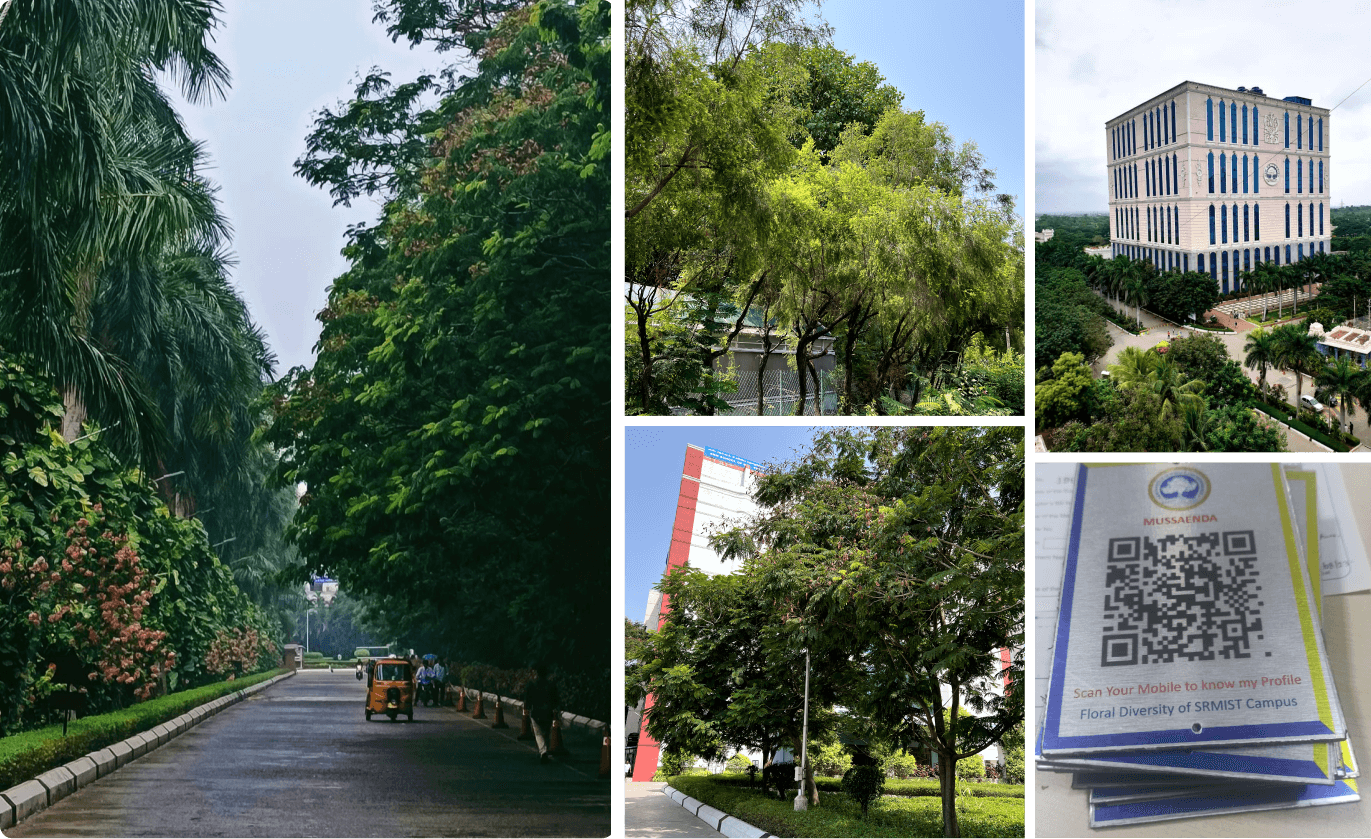
A total of 43 sites were identified and marked for QR code placement, ensuring accessibility for visitors by positioning them at an average human height (165 cm) for optimal visibility and ease of use.
Our goal

Our goal

Enhance awareness of the campus greenery by creating a digital platform accessible through QR codes, ultimately helping students and other visitors understand the value of greenery on campus.

Enhance awareness of the campus greenery by creating a digital platform accessible through QR codes, ultimately helping students and other visitors understand the value of greenery on campus.

Apsirations-cover
Apsirations-cover
Apsirations-cover

Pillars of approach

Pillars of approach

Education Values

Focussed on instant learning

Accessibility

Accessible for all set of users irrespective of ages

Nature awareness

Encourage and feed the curiosity of all natural lovers

Value
Add value to the University's efforts in sustainable development and preserving nature

Avoiding stress for the user with confusing

Interfaces

Ideation

Ideation

After refining our goals based on user interview insights, we've jumped into ideation—brainstorming design elements, brand style, and user flows to set the project in motion.

After refining our goals based on user interview insights, we've jumped into ideation—brainstorming design elements, brand style, and user flows to set the project in motion.

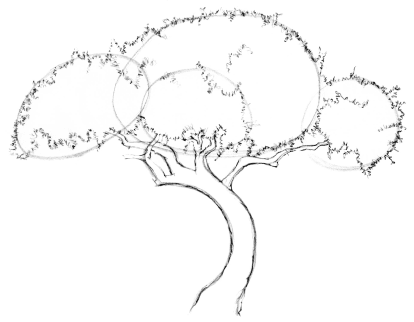
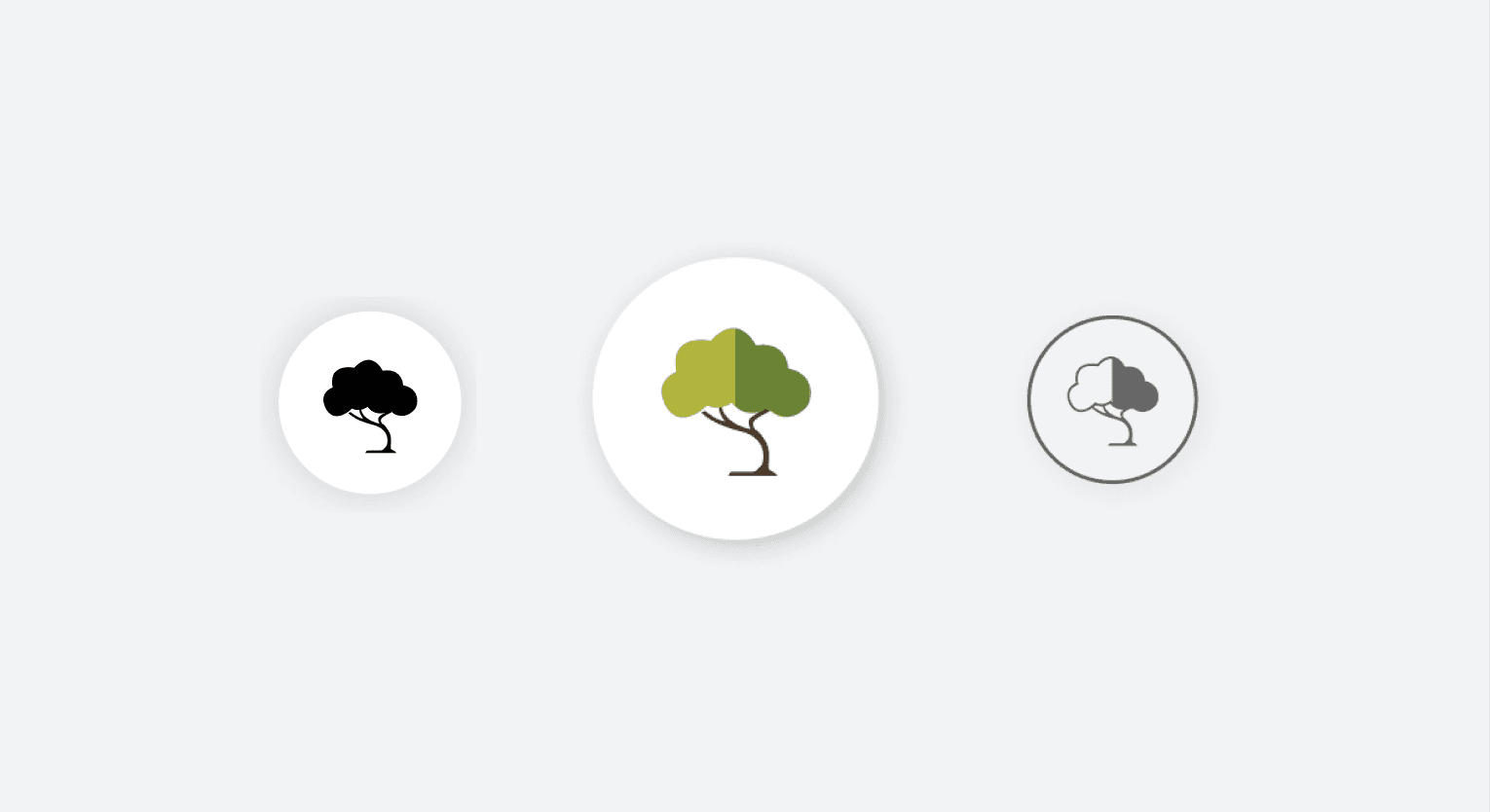
3D elements and Logo Designing for woodie

3D elements and Logo Designing for woodie

“Color does not add a pleasant quality to design - it reinforces it.”

“Color does not add a pleasant quality to design - it reinforces it.”

-Pierre Bonnard

DESIGN SYSTEM

Color Palette

Color Palette

Since the project aligns with a nature theme, various shades of green were incorporated into the design system to create an immediate connection with users.

Since the project aligns with a nature theme, various shades of green were incorporated into the design system to create an immediate connection with users.

PRIMARY

PRIMARY

#FFFFFF

#FFFFFF

PRIMARY

PRIMARY

#829D94

#00000

SECONDARY

SECONDARY

#49796A

#49796A

SECONDARY

#00000

#2071EE

Typography

Typography

I chose the Poppins typeface for this project due to its modern, clean, and versatile design, which aligns well with the minimalistic yet engaging aesthetic we aimed for

I chose the Poppins typeface for this project due to its modern, clean, and versatile design, which aligns well with the minimalistic yet engaging aesthetic we aimed for

Aa

Poppins

Woodie

Woodie

Woodie

Woodie

DEFINE
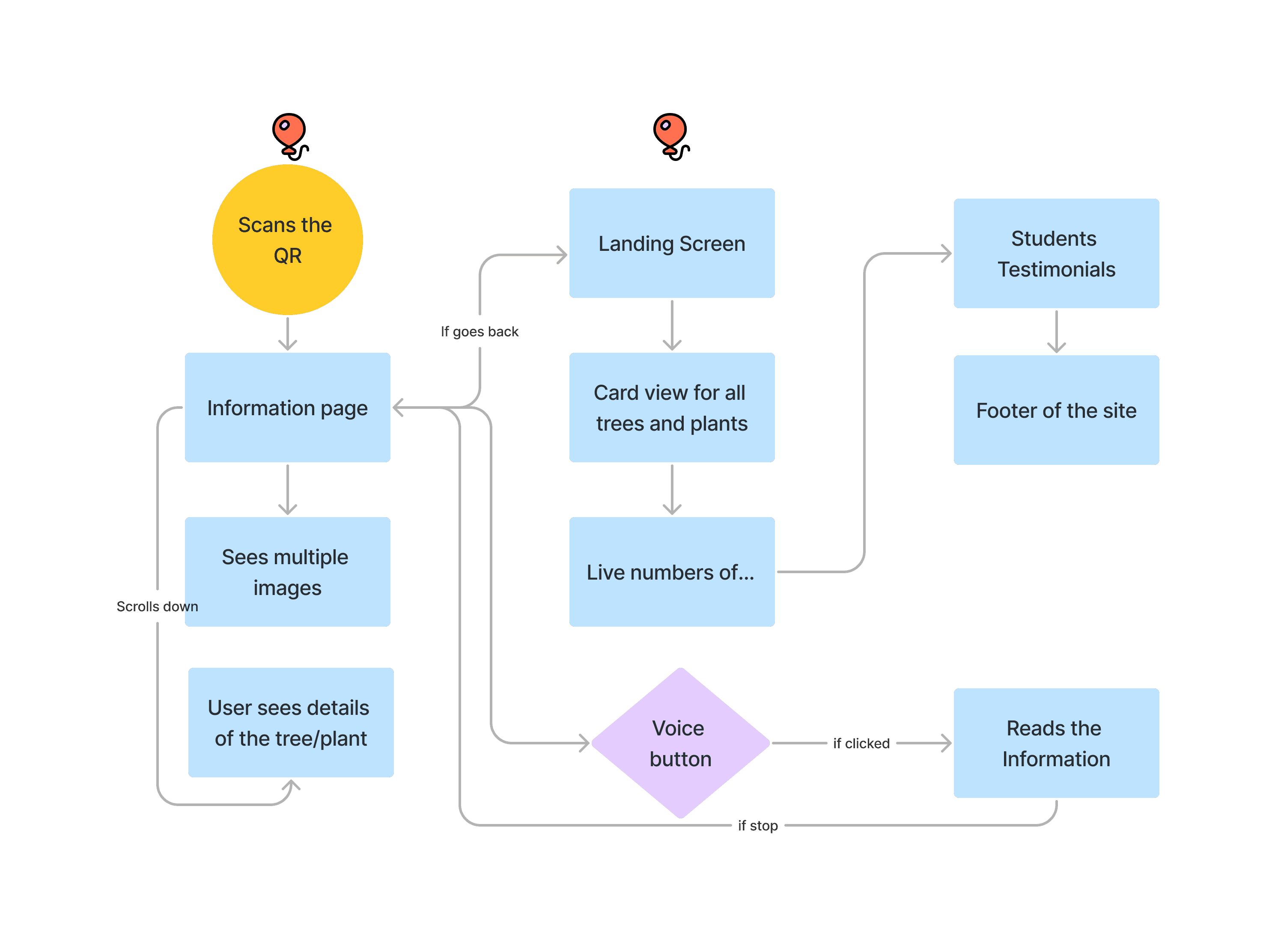
User flow

User flow

Building on the insights gathered from user research, we crafted a seamless user flow to ensure an intuitive and engaging experience before diving into the website design.

Building on the insights gathered from user research, we crafted a seamless user flow to ensure an intuitive and engaging experience before diving into the website design.

DESIGN

Wireframes

Wireframes

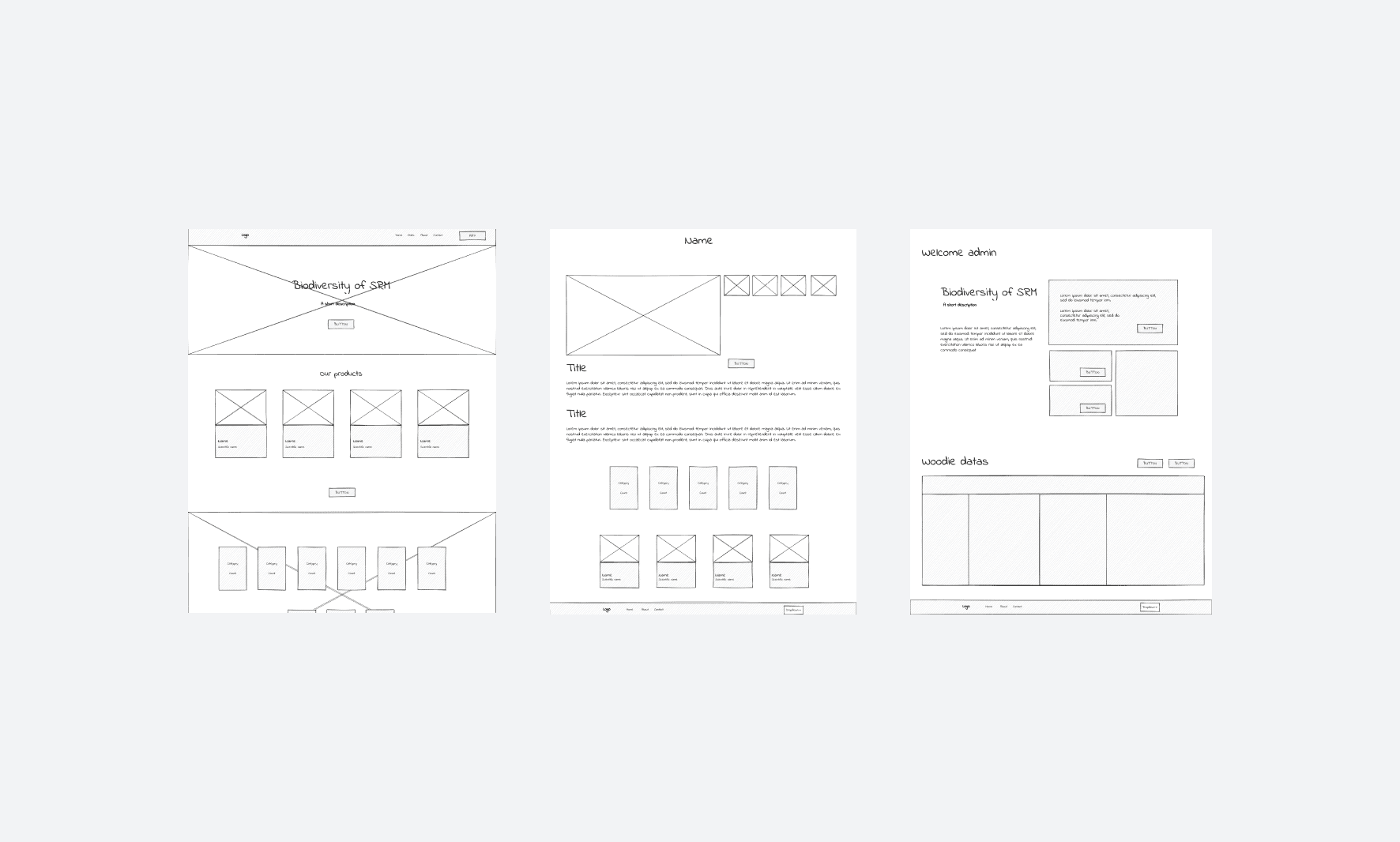
Following discussions with the university board members about the user flows, the wireframes were finalized, and we proceeded with the interface design.

Following discussions with the university board members about the user flows, the wireframes were finalized, and we proceeded with the interface design.

Designing

Designing

Using the approved wireframes, The user interface of the website was Designed and submitted for review.

Using the approved wireframes, The user interface of the website was Designed and submitted for review.

ITERATION 1

Rough Interface design

Rough Interface design

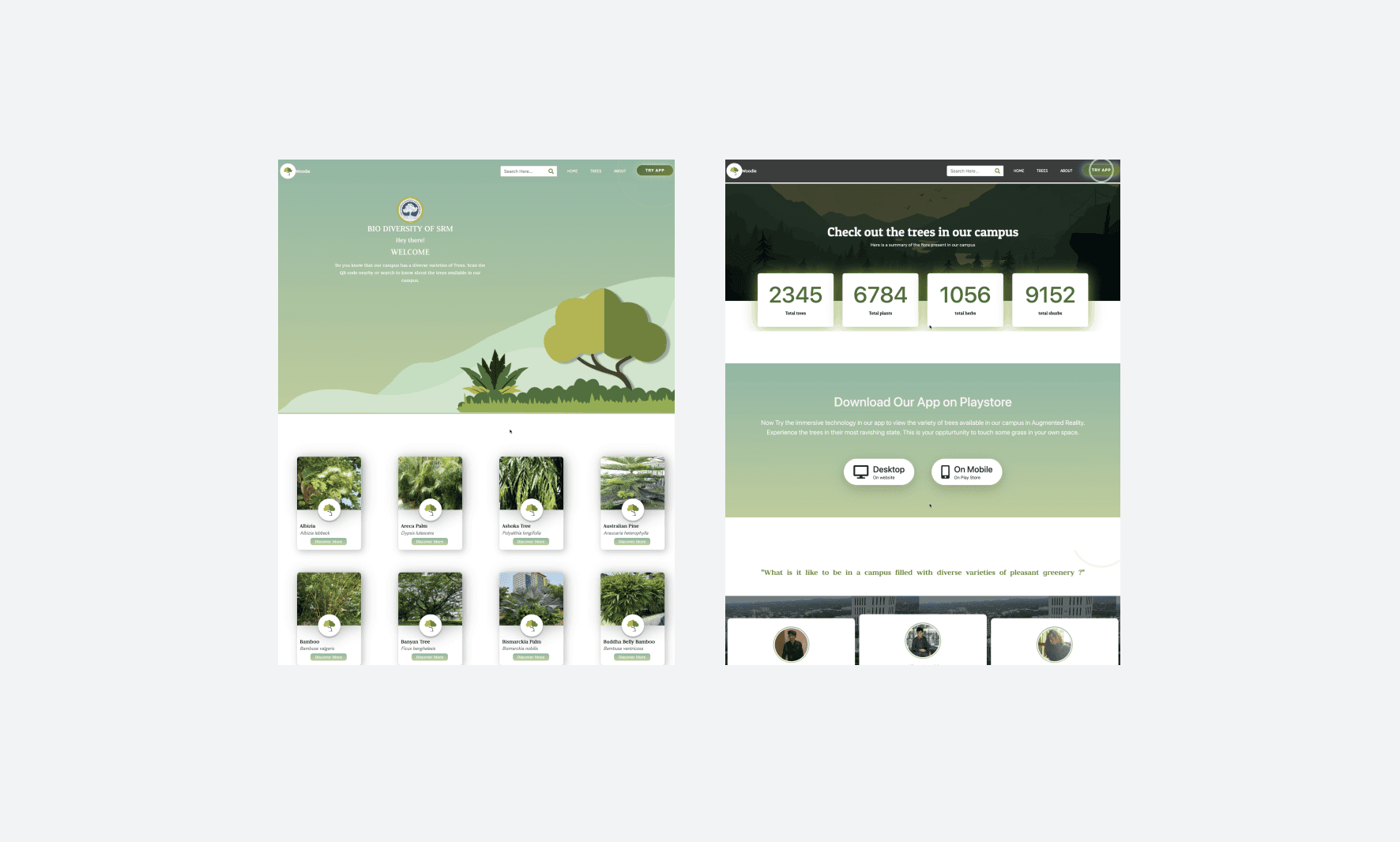
In this iteration, the website was designed and developed using HTML and CSS. The project was completed within the given timeframe, presented to management, and feedback was collected for further improvements.

In this iteration, the website was designed and developed using HTML and CSS. The project was completed within the given timeframe, presented to management, and feedback was collected for further improvements.

IDENTIFIED PROBLEMS

How can we make the design minimal and less vibrant ?

How can we make the design minimal and less vibrant ?

The first iteration was reviewed, and the feedback indicated that it lacked visual appeal. We were advised to adopt a minimalist yet engaging design. Additionally, the tech team requested the use of the React framework instead of plain HTML and CSS, as well as the inclusion of an admin panel. Taking these insights into account, we began the next iteration.
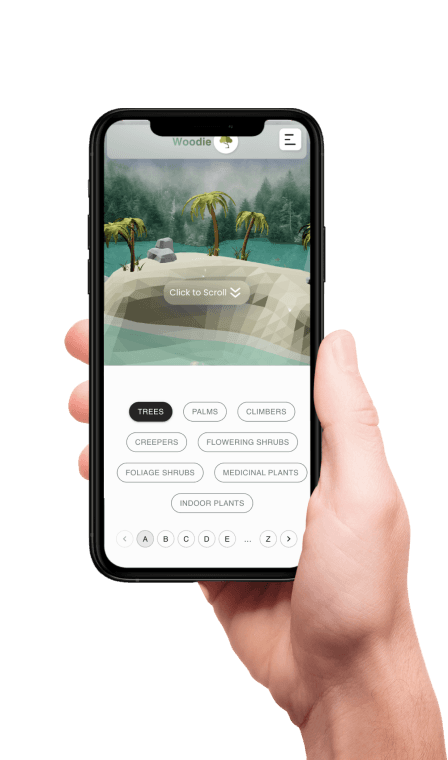
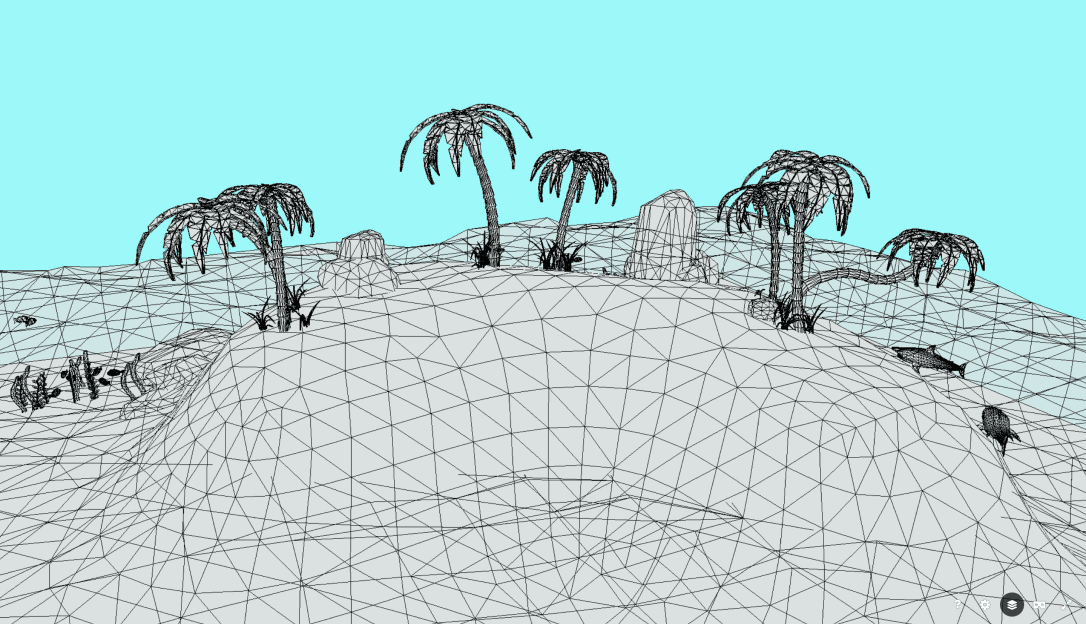
To enhance engagement, a 3D model was planned to be added to the hero section of the website.

To enhance engagement, a 3D model was planned to be added to the hero section of the website.

ITERATION 2

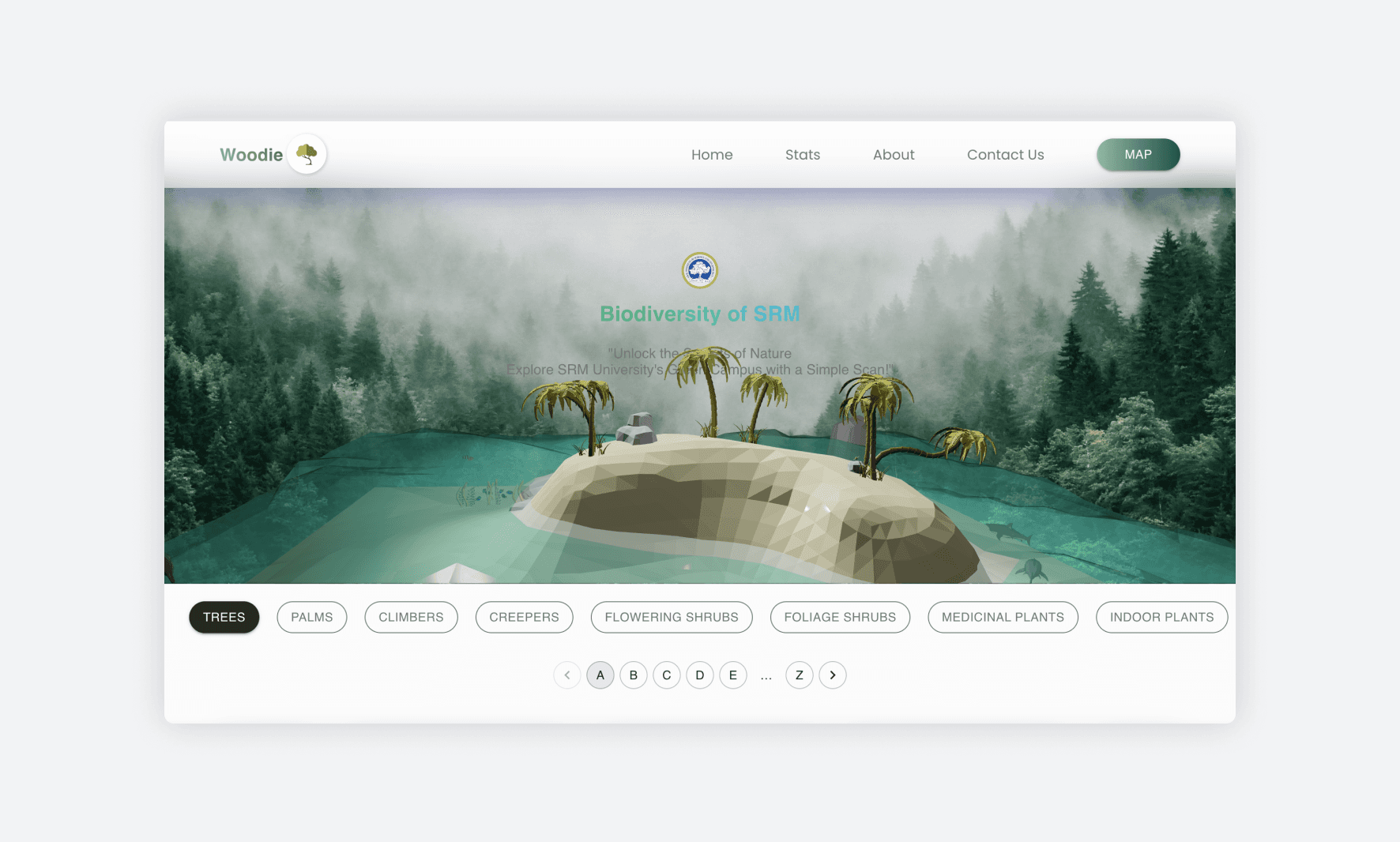
Landing Screen

Landing Screen

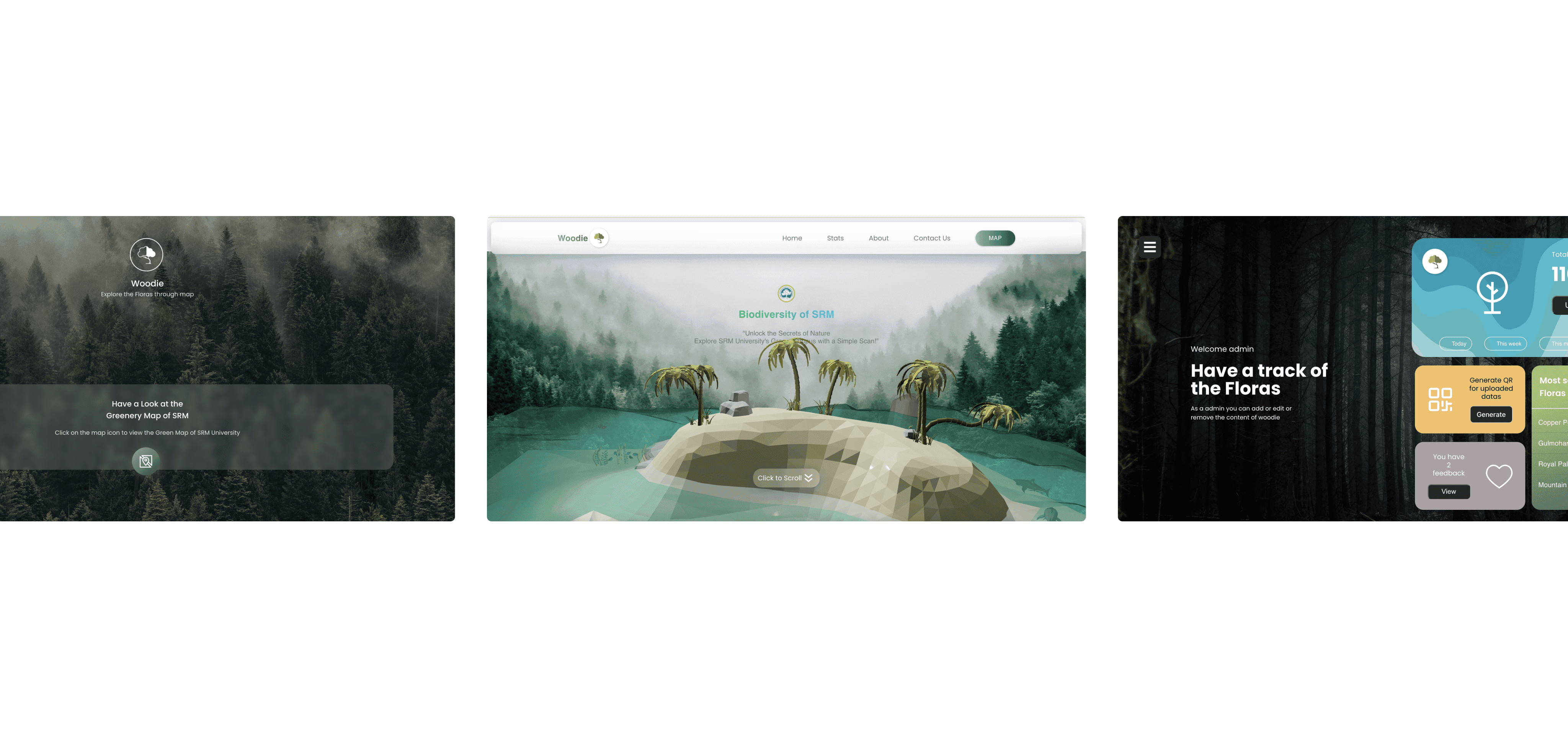
The static image on the landing screen was replaced with interactive 3D elements, while the excessive use of colors was refined to embrace a minimalist approach.

The static image on the landing screen was replaced with interactive 3D elements, while the excessive use of colors was refined to embrace a minimalist approach.

ITERATION 2

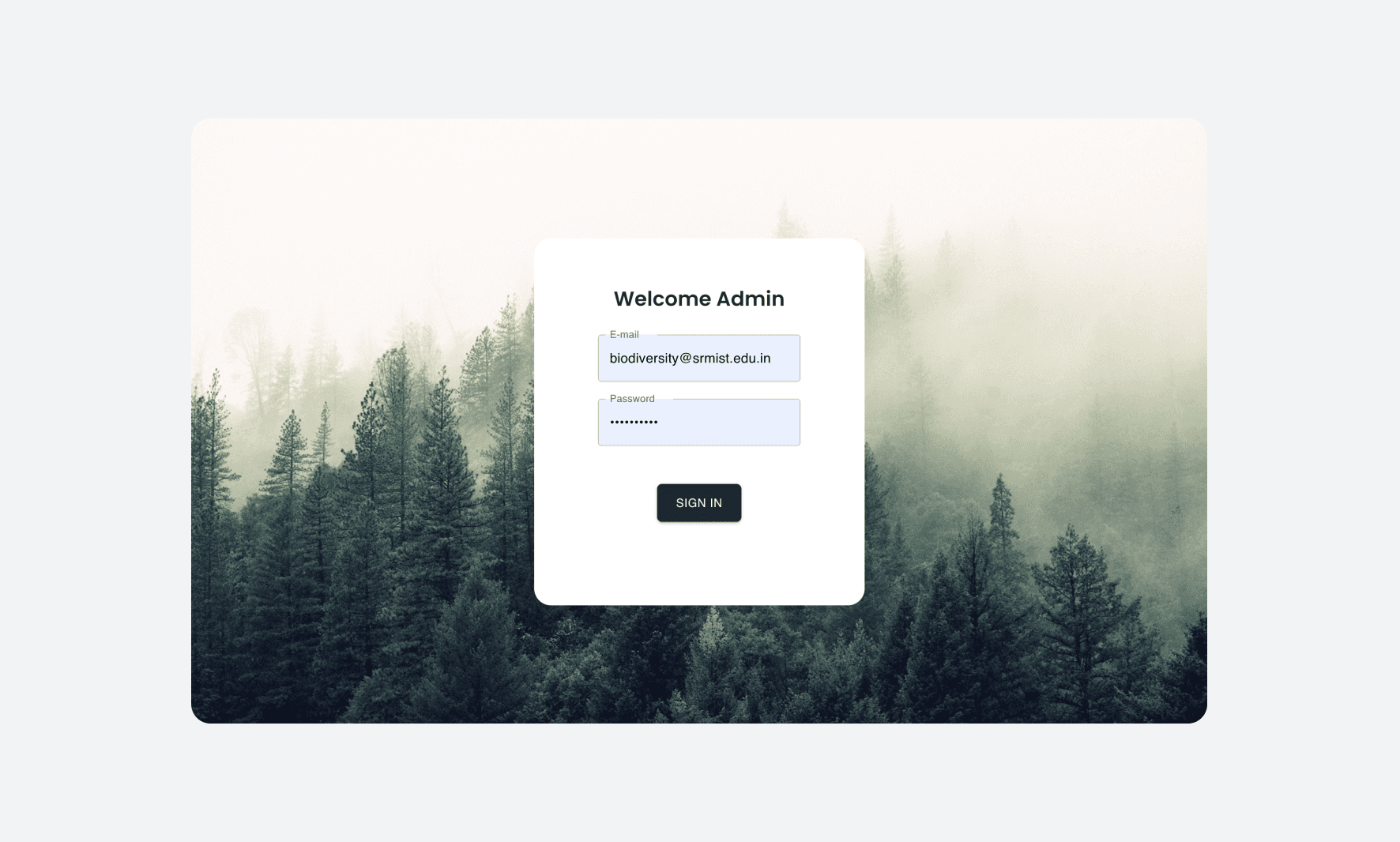
Admin Login

Admin Login

As requested by management, an admin screen was designed, and a separate login flow was incorporated in the second iteration.

As requested by management, an admin screen was designed, and a separate login flow was incorporated in the second iteration.

ITERATION 2

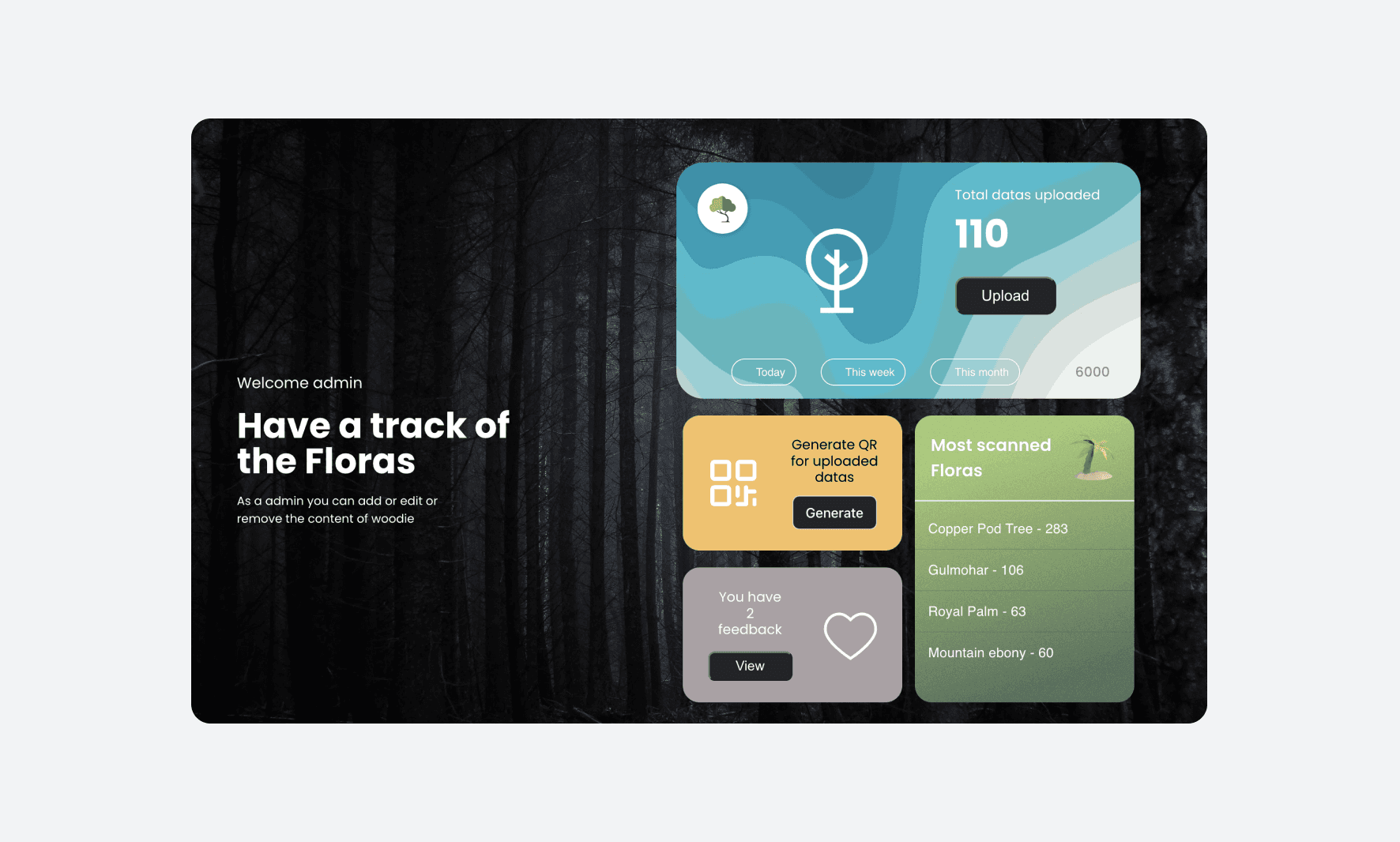
Admin Dashboard

Admin Dashboard

The dashboard allows management to easily visualize and edit content like information and images on the website. Additionally, it enables admins to generate QR codes for each entry, which can be printed and placed on trees and plants.

The dashboard allows management to easily visualize and edit content like information and images on the website. Additionally, it enables admins to generate QR codes for each entry, which can be printed and placed on trees and plants.

Development

Development

The second iteration was finalized, and development began using the React.js framework for the frontend.

The second iteration was finalized, and development began using the React.js framework for the frontend.

01

3D model

3D model

An interactive 3D scene was implemented in the hero section of the landing screen using Three.js, enhancing the website's overall visual appeal.

02

Info Screen

Info Screen

The information screen for each tree includes four images and a "read aloud" option for the plant description, improving accessibility by vocalizing the text.

03

Campus map

Campus map

The website also enabled with interactive map view of the campus, thereby giving the user a clear bird's eye map view of SRM University.

The website also enabled with interactive map view of the campus, thereby giving the user a clear bird's eye map view of SRM University.

Results

Results

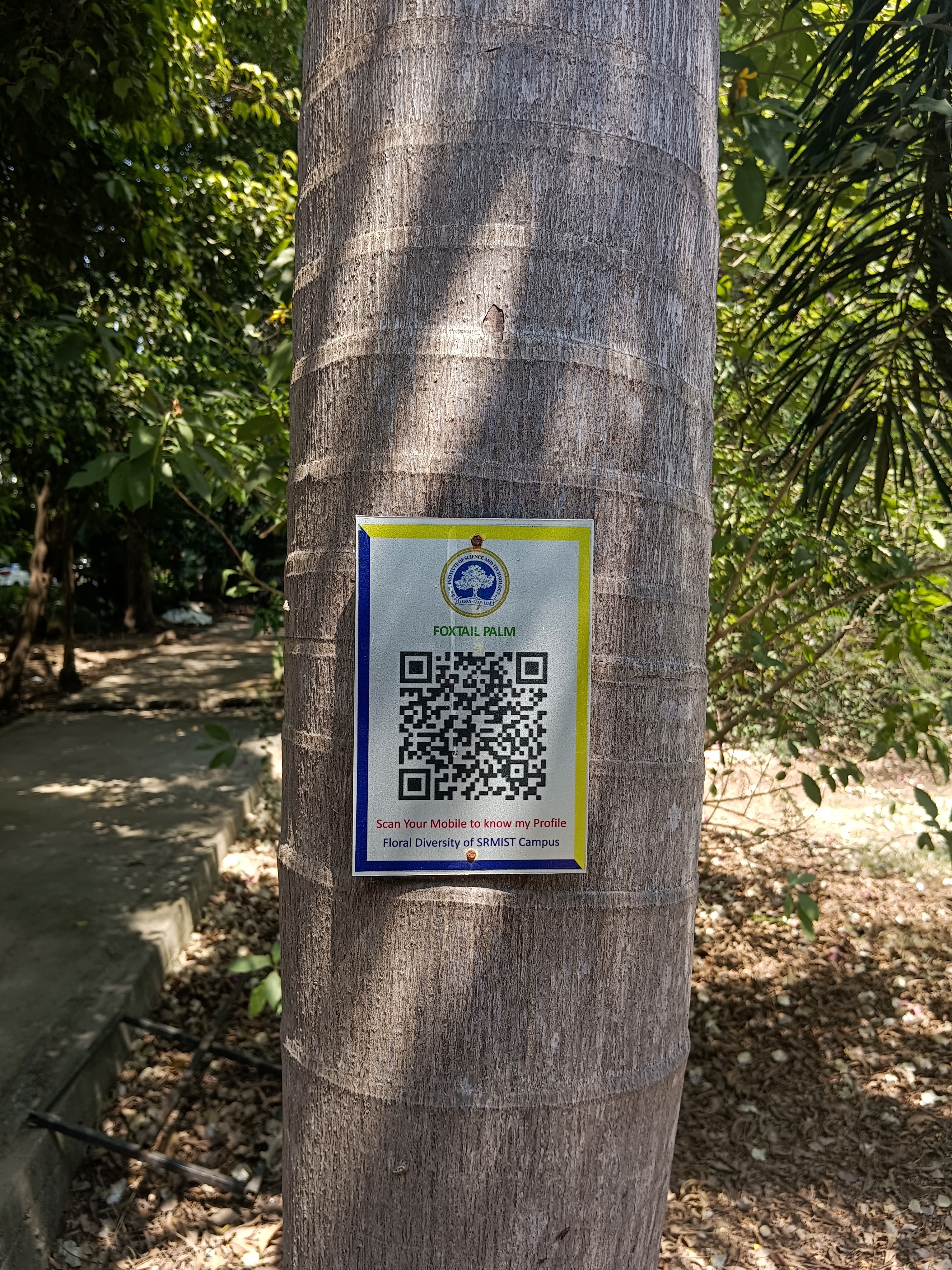
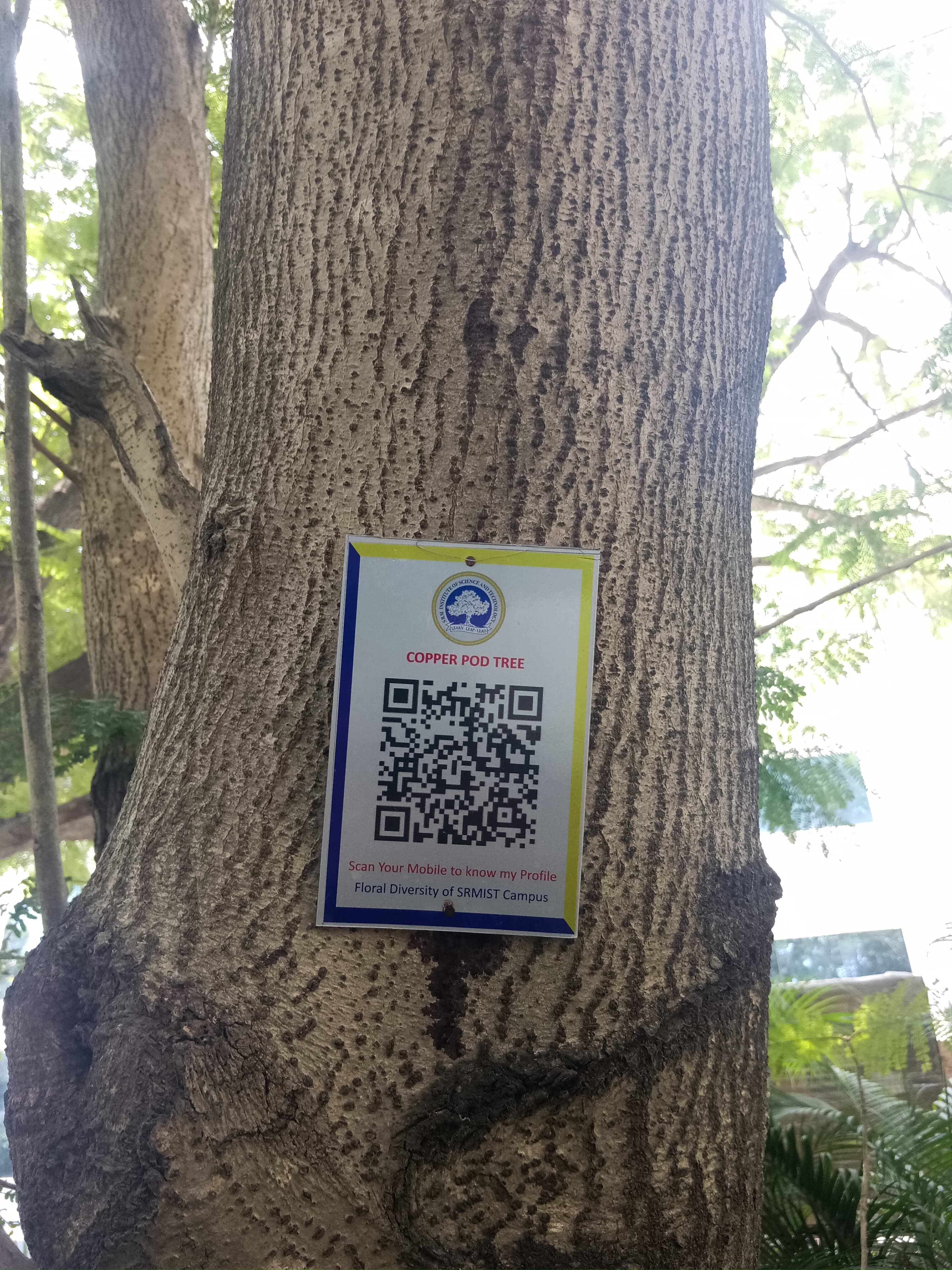
The project was successfully completed and the website is currently live, also the QR scans were printed and installed all over the campus.

The project was successfully completed and the website is currently live, also the QR scans were printed and installed all over the campus.

QR Scans

QR codes were installed at 43 campus locations, ensuring easy access to the website for students.

User feedbacks

User feedback showed that 85% found the information helpful and engaging, especially the interactive plant descriptions and audio accessibility features.

Key Outcomes

128

TOTAL SPECIES UPLOADED

TOTAL SPECIES UPLOADED

8

CATEGORIES

CATEGORIES

4000+

BENEFITED STUDENTS

BENEFITED STUDENTS

01 USER-FLOW TESTING

Multi-send

High Fidelity prototype was tested with 2-3 user to analyze how they complete the transaction by sending a crypto asset to multiple addresses.

Publications

Publications

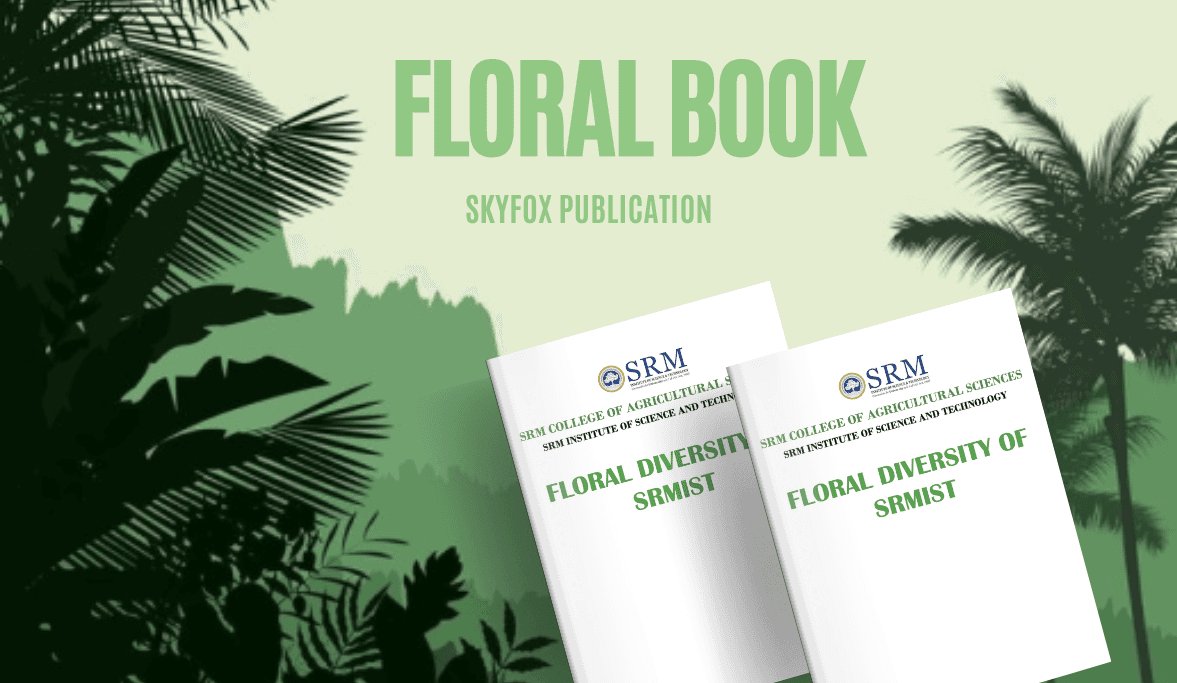
The website's greenery data was compiled into a book, "Floral Diversity of SMRIST," published by Skyfox Publications, enhancing the university's reputation for sustainability and nature preservation.

The website's greenery data was compiled into a book, "Floral Diversity of SMRIST," published by Skyfox Publications, enhancing the university's reputation for sustainability and nature preservation.

Project Takeways

Project Takeways

Working on the Defy app has been an invaluable hands-on experience in the Web3 industry, providing numerous opportunities for learning and growth.

Working on the Defy app has been an invaluable hands-on experience in the Web3 industry, providing numerous opportunities for learning and growth.

01

User research methods

This project introduced me to user research methods, such as user interviews, which greatly helped the team gain valuable insights into students' needs and preferences.

Proficiency in User Interviews

01

User research methods

This project introduced me to user research methods, such as user interviews, which greatly helped the team gain valuable insights into students' needs and preferences.

Proficiency in User Interviews

01

User research methods

This project introduced me to user research methods, such as user interviews, which greatly helped the team gain valuable insights into students' needs and preferences.

Proficiency in User Interviews

02

Logo design

Woodie required a simple yet meaningful logo that aligned with the website's core purpose. Designing the logo became a crucial part of the project, allowing me to apply and test various graphic design skills.

Proficiency in Adobe illustrator

02

Logo design

Woodie required a simple yet meaningful logo that aligned with the website's core purpose. Designing the logo became a crucial part of the project, allowing me to apply and test various graphic design skills.

Proficiency in Adobe illustrator

02

Logo design

Woodie required a simple yet meaningful logo that aligned with the website's core purpose. Designing the logo became a crucial part of the project, allowing me to apply and test various graphic design skills.

Proficiency in Adobe illustrator

03

Accessibility designing

This project exposed me to the importance of audio descriptions in accessibility design, ensuring the website is usable by a wider range of users.

Planning in Figjam

03

Accessibility designing

This project exposed me to the importance of audio descriptions in accessibility design, ensuring the website is usable by a wider range of users.

Planning in Figjam

03

Accessibility designing

This project exposed me to the importance of audio descriptions in accessibility design, ensuring the website is usable by a wider range of users.

Planning in Figjam

THANK

YOU.

THANK

YOU.